TryShadowing
Shadow YouTube. Nói tiếng Anh.
Trang chủ
Khám phá
Chép chính tả
NEW
Thư viện
vi
0
ngày
Đăng nhập
22 ONE-MINUTE Habits That Sa… — Ali Abdaal luyện shadowing | TryShadowing
TryShadowing
Shadow YouTube. Nói tiếng Anh.
Trang chủ
Khám phá
Chép chính tả
NEW
Thư viện
vi
0
ngày
Đăng nhập
Trang chủ
Khám phá
Ali Abdaal
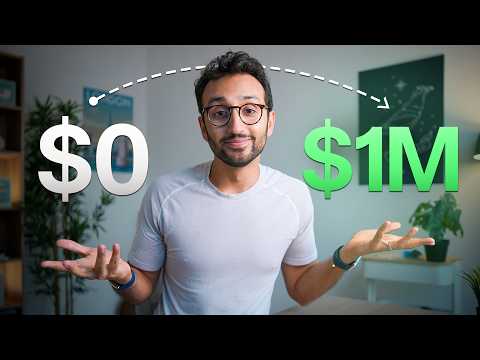
22 ONE-MINUTE Habits That Save Me 25+ Hours a Week
22 ONE-MINUTE Habits That Save Me 25+ Hours a Week
Ali Abdaal
·
15:23 · 27 thg 1, 2026
Bắt đầu học
0:00
0:00
Ghi âm
×1
1x
VI
EN
JA
KO
ZH
FR
PT
TH
IT
DE
IPA
Chấm điểm phát âm chưa hỗ trợ trên trình duyệt này — bạn vẫn ghi âm & nghe lại được.
All
right.
Đang dịch…
Bật Ghi âm để được thu giọng và chấm điểm
Thông minh
Karaoke
Câu
1
/467
0:00
All right.
0:00
So, according to my publishers, I am the world's most followed productivity expert.
0:03
And so, perhaps unsurprisingly,
0:05
I'm totally obsessed with finding what are the small habits I can apply to
0:08
my life to save me a lot of time.
0:10
And so, I have gone through
0:12
and basically racked my brain
0:14
and my calendar and my life for what are like all of the different
0:18
things that I do
0:19
that take me less than about a minute every time I do them,
0:22
but that overall save me a ton of time every single week.
0:25
Habit number one, the first thing I do every morning
0:27
when I get to my desk is I ask myself one very simple question.
0:31
What is today's adventure going to be?
0:33
What this is getting at is what is the most important thing I need
0:36
to get done?
0:37
And this is super helpful because if you do it,
0:38
it will force you to prioritize like the one thing
0:41
that you really want to get done today.
0:42
And secondly, framing it
0:43
as an adventure rather than
0:44
as a task encourages you to approach it in a spirit of play,
0:47
which we know from the research improves our productivity
0:50
and our creativity and our well-being.
0:51
Once you have identified your most important task,
0:54
you take 10 seconds to stick it in the calendar.
0:56
If it's not in the calendar, it does not get done.
0:58
And this is by far one of the most powerful productivity habits out of
1:02
all of the ones out there.
1:03
It's just deciding what is the most important thing for you to focus on
1:06
and then actually creating a block of time
1:09
and sticking it in your calendar where you are going to do it.
1:11
Habit number three is when that block of time comes around,
1:14
you don't just procrastinate.
1:16
You instead start a focus timer.
1:18
However you do it, when you have a visible timer,
1:21
there is something magical about
1:22
that that keeps you on task
1:23
and stops you from wasting time doing random stuff
1:26
that does not matter.
1:27
Tiny habit number four is when you are working on anything,
1:29
put your phone face down and turn off notifications.
1:33
Bonus points, if you even put your phone in a different room where you
1:36
cannot see it because there is even some evidence according to the science around
1:39
this that like even just having your phone in the same room like it
1:42
creates like a sense of anxiety of like what's happening on the phone?
1:45
What's happening on the phone?
1:46
So the more you can get rid of the phone from your working environment,
1:49
the more time you will save.
1:51
Tiny habit number five is
1:52
that I have my phone on do not disturb at all times.
1:55
You can set people who are exceptions to the do not disturb rule.
1:57
So for me, if my wife is calling me, it goes through.
2:00
If my mom or grandma or brother or sister-in-law calling me,
2:02
it goes through.
2:03
But if there's almost any other notification from anything else,
2:06
it will not go through the do not disturb mode.
2:08
Again, this is magical and time-saving because every time you get distracted,
2:11
there is this thing called attention residue
2:12
that like makes it way harder for you to get back on task.
2:15
And so you just might
2:16
as well have your phone on do not disturb
2:18
or some kind of focus mode where notifications have been gotten rid of at
2:21
all times.
2:21
Tiny habit number five is to block all of your most offending apps at
2:24
night after 9:00 p.m.
2:26
There's just no need for it.
2:26
We all waste a huge huge huge amount of time scrolling Instagram,
2:30
browsing Tik Tok, even watching YouTube videos,
2:32
maybe even this one after 9:00 p.m.
2:34
when we really should be getting to bed.
2:35
What this does is
2:36
that it wastes hours
2:37
and hours and hours in our life in aggregate
2:38
because we end up scrolling at night for way longer than we should.
2:41
that ends up destroying our sleep,
2:42
which ends up reducing our energy levels the next day,
2:44
which ends up bleeding into reduced productivity and everything else that we do.
2:48
And the more you are using the damn phone at night,
2:50
I found at least for me, and I'm sure probably for you as well,
2:52
the less productive you are
2:53
and the more time you're just randomly squandering on social media algorithms.
2:57
Tiny habit number seven is to not have your phone anywhere near you
3:00
when you are in bed.
3:01
For me, the only thing I'm allowed to touch after 9:00 p.m. is my
3:04
Kindle.
3:04
So, I have my Kindle on my bedside table,
3:06
and I'm usually charging my phone across the room.
3:08
My wife is even more productive than I am
3:10
and so she even charges her phone in a totally different room
3:12
so that the phone doesn't even enter the bedroom.
3:14
That is like how you do it on advanced mode.
3:16
Habit number eight is to learn the keyboard shortcuts for everything
3:19
that you do on your computer.
3:21
It amazes me how much time people waste
3:22
when they are clicking around with the mouse where
3:24
if you know if you're using something like Excel
3:26
or something like notion
3:27
or something like Google Docs like
3:28
or something like Slack like whatever the apps
3:30
that you use most often are taking less than a minute to learn the
3:33
keyboard shortcuts for the stuff
3:34
that you do regularly on those apps is gamechanging
3:37
because it massively adds up over time.
3:39
Next up again related to keyboard shortcuts you should never be using your mouse
3:43
to open anything on your computer.
3:44
You can always do it with the keyboard.
3:46
Mac has a built-in spotlight functionality.
3:48
On Windows, you use the Windows logo key and type in what you want.
3:50
My favorite app is the app Alfred.
3:52
All of these apps basically let you do stuff on your computer using the
3:55
keyboard because anytime you reach for your mouse,
3:58
you are being slow and you are wasting seconds.
4:00
Which is why all of the pros who are really fast at using a
4:02
computer will almost always navigate with keyboard shortcuts
4:05
or using the keyboard.
4:06
So, taking a minute to learn those will save you small amounts of time
4:08
each time,
4:09
but that really, really, really adds up over years of using a computer.
4:12
On a related note, you can set up text expansion functionality.
4:15
There's an app called Text Expander.
4:17
Alfred has that functionality.
4:19
It's a functionality built into your iPhone.
4:21
If you go on the keyboard settings and text replacement,
4:24
so this is really helpful for things that you type in a lot.
4:26
So, for example, I have an text expansion shortcut for my email
4:29
and for my address
4:30
and for my phone number
4:31
and anything where if I have to fill out a form
4:34
and I find myself typing in anything more than once,
4:37
like my company's VAT number,
4:38
I don't want to go
4:39
and try and figure out what
4:40
that thing is or just type it out manually.
4:41
I'll just put in a keyboard shortcut like you know exclamation mark em
4:45
and then that boom text expands to fill my email address.
4:48
Next up we have voice over typing.
4:50
Generally most people are faster at speaking than they are at typing.
4:54
I'm a very fast typist.
4:55
I I type at around 156 words per minute
4:57
but I still speak way faster than
4:59
that.
4:59
And so using dictation tools to talk to my computer
5:02
and talk to AI tools is way quicker
5:05
and saves way more time than typing things out.
5:06
The app that I use for this
5:07
when I'm on the go is called Voice Pal.
5:09
Again, it's an app that my team and I have built for this purpose.
5:11
You hit record on your phone
5:12
and you walk around
5:13
and then you say whatever you want
5:14
and it asks you follow-up questions.
5:16
This is how I do all of my writing
5:17
and like first drafting
5:18
or like coming up with ideas.
5:19
Now, once you start taking action
5:21
and maybe even making some extra income
5:23
as a result,
5:24
you're going to want a place to invest all of that money.
5:26
And that is where the sponsor of this video comes in, Trading 212.
5:29
Trading 212 is an online investing platform
5:32
that lets you invest in stocks
5:33
and ETFs.
5:34
Both my wife and I have actually been using Trading 212 independently for years,
5:38
long before they ever sponsored our channel.
5:39
And what I really like about it is how straightforward it makes investing.
5:42
The app is very nice to use.
5:43
It's very userfriendly.
5:44
There are no commissions.
5:45
You can invest in fractional shares.
5:47
And there's none of that unnecessary friction that puts people off getting started.
5:50
They've also recently launched the Trading 212 card,
5:52
which gives you up to 10% cash back on your spending with no monthly
5:55
fees,
5:56
no hidden charges, and you get currency conversion at the interbank rate,
5:59
which is amazing if you travel a lot
6:01
or if you buy things online in different currencies.
6:03
The card integrates directly with your Trading 212 invest account.
6:06
So any uninvested cash actually earns compound interest in up to 13 currencies
6:10
while you're just getting on with your life.
6:12
On top of that,
6:12
they've got a wonderful pies
6:14
and auto invest features
6:15
which makes it really easy to build a diversified portfolio on autopilot.
6:19
And as a little bonus, if you sign up using my link,
6:21
you can actually get a free fractional share worth up to £100.
6:24
So if you want to check it out,
6:25
head over to trading212.com/join/i, which will also be linked down below.
6:29
So thank you trading212 for sponsoring the video.
6:31
And now let's get back to it.
6:32
Next up, we have the capture habit.
6:34
Now, the habit here is from David Allen's book, Getting Things Done,
6:36
which is basically whenever you think of anything you need to do,
6:39
you just write it down somewhere.
6:41
You capture it into some kind of to-do list,
6:43
some kind of task management system.
6:44
The one that I use is on my iPhone, and it's called Things 3.
6:48
And I have the widget on my iPhone.
6:49
So, if I ever need to capture anything at all,
6:51
I just hit the plus icon and then boom,
6:53
I can type out whatever I need to.
6:55
Buy milk from 7-Eleven, save it, and then boom, it is done.
6:57
That takes like 5 seconds to do.
6:59
And it means I'm not relying on my brain to hold different tasks I
7:02
need to do.
7:03
It all just goes into the system.
7:05
When you're not having to spend brain space like remembering what you were meant
7:08
to do,
7:08
it drastically improves your life.
7:09
It like reduces your stress levels.
7:11
It means you're not constantly worrying about like, you know,
7:12
do I have something that I've forgotten that I kind of need to do.
7:15
>> The only problem is I can't remember what I've forgotten.
7:18
>> And therefore saves you a ton of time and additional stress every single week.
7:21
Next up, this is a fun one.
7:22
I found enormous value in using WhatsApp lists to organize my different friends
7:26
and like business associates
7:28
and family and contacts
7:29
because my WhatsApp is an absolute cesspit of just like zillions
7:32
and zillions and zillions of messages.
7:33
And so this is what it looks like.
7:34
I use emojis.
7:34
So I have the heart emoji for family members.
7:36
I've got two unreads there.
7:38
I have a Hong Kong emoji for sort of my real life friends in
7:41
Hong Kong.
7:42
I've got the UK emoji for my friends in the UK.
7:44
I've got this smiley money icon emoji for all of like my uh friends
7:48
like my creator and entrepreneur friends who have who I want to priority reply
7:52
to.
7:52
I have this little sparkle emoji for people in my team
7:54
because our business is called Sparkle Studios.
7:56
And then the final one is LBA
7:58
which stands for lifestyle business academy
7:59
which is sort of my online business school.
8:00
And so I'm part of a bunch of WhatsApp groups for
8:02
that where we help people out with stuff.
8:03
And so that's like the final one over there.
8:05
Now, this is amazing because immediately I can see that like, okay,
8:08
I just need to go through and just reply to 2, 3, 2, 4,
8:11
and four messages or just like read those to make sure there's no action
8:14
needed from me.
8:15
But if you look at my WhatsApp, there's actually like 294 unreads.
8:18
Now, of those, only about eight of them are things I actually want to
8:21
reply to.
8:22
The other 286 are messages I don't need to reply to.
8:26
Now, before I had these lists,
8:27
I would have this constant anxiety around like has something urgent come through the
8:31
WhatsApp that I haven't seen,
8:32
that I haven't replied to, etc., etc.
8:33
But now that I've got lists for everyone who is important,
8:36
it means I'm a lot less likely to feel stressed about this
8:38
and also I'm less likely to miss important things.
8:40
All right, the next habit is listening to things at speed multiples.
8:44
This is something that I've gotten a lot of hate over the years on
8:47
like Reddit and other places like
8:48
that.
8:48
Like I can't believe Ali Abdal listens to audiobooks at double speed.
8:51
It's like bro, these days everyone watches YouTube videos at like speed multiples.
8:55
Like Instagram and Tik Tok literally you can watch them at like speed multiples.
8:58
You could even if you really wanted to watch TV shows
9:00
and movies and anime at double speed
9:02
if you really wanted to.
9:02
But there is a lot of value especially
9:04
when you're trying to absorb information
9:06
and especially when that information is for exploration rather than exploitation like you're sort
9:11
of just getting the feel for a new topic.
9:13
Start with 1.5 and
9:14
then you go 1.6
9:15
and then 1.7 and 1.9
9:16
and over time you can actually train your listening speed to be able to
9:19
understand and retain stuff at two times speed 2.5 even 3
9:23
or 3.5x speed.
9:24
And that saves you
9:25
so much time especially
9:26
if you have to
9:27
or you want to do a lot of reading
9:28
or listening for your job
9:30
or your business or your life.
9:31
It is gamechanging.
9:32
Next up, we have the habit of double dipping.
9:34
Wherever possible, I like to try and do sort of multimodality multitasking.
9:39
Now, multitasking doesn't really work
9:40
when you're trying to do two things in two of the same kind of
9:44
thing at once.
9:44
Like if you're trying to do some deep work
9:47
and then you also reply to some Slack messages
9:48
and then you also reply to some emails.
9:50
All of those are sort of like the same kind of thing.
9:53
But if it's multimodality multitasking, like for example,
9:55
listening to an audiobook
9:56
while you are driving to work
9:58
or while you're commuting to work,
9:59
that is how I saved loads
10:00
and loads of time
10:01
because I got a lot of my business knowledge from listening to podcasts
10:03
and audiobooks at speed multiples
10:05
while I was driving to
10:06
and from work back
10:07
when I had a real job.
10:08
Whenever you can double dip
10:09
and you can do kind of more than one thing at once with different
10:11
modalities,
10:11
that is a thing
10:12
that ends up saving you a lot of time cuz you're just able to
10:14
do more in less time.
10:15
One specific example of double dipping that I love is walking Zoom calls,
10:18
which saves a ton of time.
10:20
So every day I'm trying to get 10,000 steps.
10:22
On average it takes about 10 minutes per thousand steps for most people.
10:26
So 10,000 steps requires you to walk for 100 minutes.
10:29
Now most days I have at least 100 minutes worth of Zoom calls.
10:32
And so wherever possible I will try
10:34
and take those walking rather than being at my computer.
10:37
This is gamechanging because
10:38
then I'm getting sunlight
10:39
and walking outside is nice
10:40
and I'm feeling good
10:41
and I'm more creative
10:42
and also I'm able to get the steps in
10:44
which saves me tons
10:45
and tons of time in my week.
10:46
On that note, another thing
10:47
that really helps is just getting a walking treadmill standing desk.
10:50
Again, when I'm doing non-filming days
10:51
and I'm doing lots of meetings
10:52
and stuff,
10:52
I will set up a walking pad treadmill underneath my desk
10:55
and I'll be getting in my steps
10:56
while I'm doing work.
10:58
And if you walk at like 3 km/h, 4 km/h,
11:01
you can be getting in like thousands of steps every hour
11:04
and you almost don't even notice it.
11:05
This is something I do when I'm gaming on my computer as well.
11:07
I'll often like just stand up on the standing desk and like, you know,
11:11
be walking on the desk
11:11
while playing Hogwarts Legacy
11:13
or World of Warcraft
11:13
or whatever the thing might be.
11:14
Next up is using recurring calendar blocks for important events.
11:18
So my wife and I have a date night once a week,
11:20
every Sunday evening, and that is a recurring block in the calendar.
11:23
She's on the calendar invite, I'm on the calendar invite.
11:26
It repeats every single week.
11:27
And this is amazing,
11:28
and it saves so much time in previously where we're having to sort of
11:31
coordinate with each other to get a date night.
11:33
So recurring calendar events save you a bunch of time in like logistical coordination.
11:37
For example, I have recurring calendar events for my gym sessions with my personal
11:40
trainers,
11:41
recurring calendar events for like lessons with my tennis coach,
11:43
recurring calendar events for events with my team.
11:45
You know, that's the thing
11:46
that most people are most used to
11:47
because you probably have like a team meeting at the same day
11:49
and at the same time every week,
11:50
but you can apply that same philosophy to your personal life as well,
11:53
which saves a bunch of time that would otherwise be spent on coordination.
11:56
Speaking of date nights, another thing I like to do,
11:58
given that I'm in charge of organizing our date nights,
12:00
is to batch my organizing for date nights.
12:03
So there's a general productivity principle called batching where you sort of uh do
12:07
similar tasks altogether so
12:09
that you're not like context switching.
12:10
And so if I'm booking a restaurant for a date night for like Sunday,
12:14
then while I'm there, once I've done that,
12:16
I might as well book a second one for next Sunday.
12:18
And then I might as well book a third for the Sunday after that.
12:20
And I might as well book a fourth for the Sunday after that.
12:22
My wife freaking loves this
12:23
because she likes the idea of like me having stuff planned rather than stuff
12:27
just happening at the last minute.
12:28
So then she's super happy
12:29
and then I'm happy
12:30
because I managed to make my wife happy in a very productive way by
12:33
batching the booking of the date nights in one like session.
12:36
Next up, I found it enormously helpful to schedule in stuff at 8:00 in
12:40
the morning.
12:40
So three times a week,
12:41
I have a tennis lesson at 8:00 in the morning.
12:44
Why is 8:00 in the morning an amazing time?
12:46
Well, it's an amazing time because if you want to do something at 8,
12:50
you kind of have to get up at like 7:30 or beforehand.
12:53
And forcing yourself to get up at 7:30
12:55
or beforehand is great
12:56
because it forces you to have an early night.
12:58
What you don't want is like
12:59
if you have a late night one time
13:00
because you haven't followed habit number three
13:02
and you've taken your phone into bed
13:03
and you're watching random YouTube videos at 3:00 in the morning,
13:06
you feel absolutely grim the next day
13:07
and then you don't want to feel grim for the following days
13:10
and so you then end up sleeping earlier.
13:12
And in general, if you want to be more productive,
13:13
if you want to get more stuff done,
13:14
going to bed earlier
13:16
and waking up earlier is an enormous hack compared to going to bed later
13:20
and waking up later.
13:20
Next up, we have the fun habit of hiring a cleaner.
13:23
I have been doing this for absolutely years
13:25
because I'm a strong believer
13:26
that if there is stuff
13:27
that you don't enjoy doing,
13:28
and it is possible for you to outsource
13:30
that thing for less money than your your own personal hourly rate is in
13:34
terms of how much money you make with your job
13:35
or with your business,
13:36
then you should totally outsource that thing.
13:38
And so, I've had a cleaner ever since I graduated university,
13:40
which was like 7 years ago.
13:42
And initially, that was a part-time cleaner who would come in like one like
13:45
a few hours every 2 weeks.
13:48
and me and my housemate would split the cost of
13:50
that because she also hated cleaning
13:51
and so that was just
13:52
that was just easy enough.
13:53
So that saved us a good amount of time.
13:55
But now that we're here in Hong Kong where hiring like a full-time domestic
13:57
helper is actually fairly affordable,
13:59
we now have someone full-time who takes care of all the household chores.
14:02
And that again just saves us an enormous amount of time every single week.
14:05
And then to add further to the privilege check, um,
14:07
one thing that is also helpful,
14:09
which is why I put this at the end, is hiring an executive assistant.
14:12
So there is a service that we use called Athena.
14:14
You just go on their website
14:15
and it takes less than a minute to fill out an application.
14:17
Athena then suggests some executive assistants that match your profile.
14:20
And so I have an executive assistant who handles my emails
14:23
and my calendars and any ad hoc tasks
14:25
that I need doing.
14:26
Obviously, this is a thing.
14:27
You need to have some money
14:28
and probably be a business owner for this to make sense for you.
14:30
But if you do have a business,
14:31
if you are a business owner
14:32
and you do not yet have an executive assistant
14:34
or a personal assistant
14:35
or a virtual assistant,
14:36
I could not recommend it highly enough.
14:38
And then the final bonus habit
14:39
that I would love to talk to you about is actually finding a way
14:42
to enjoy the things
14:43
that you are doing.
14:44
This is the core thesis of my book feel good productivity how to do
14:47
more of what matters to you
14:48
which is that when you find a way to enjoy whatever task
14:51
or project you are working on it makes you more productive it makes you
14:54
more creative.
14:55
It makes you less stressed
14:56
and it also gives you more energy to give to the other important areas
14:59
of your life.
15:00
And if you are interested in learning more about the science
15:02
and the philosophy behind this,
15:04
I have a video over here
15:05
which is actually the first chapter of my book
15:08
that is sort of like the introductory material.
15:10
And we've taken the audio book and we've animated it with some sick animation.
15:14
So you should totally check out
15:15
that video right over there
15:16
if you want to learn how feeling good is actually the ultimate secret to
15:19
productivity.
15:19
So thank you so much for watching
15:20
and I will see you in
15:21
that video.
15:21
Bye-bye.
Thích
Chia sẻ
Ali Abdaal
Xem tất cả →
B2
Năng suất
Karaoke
25:56
Success Is Hard Until You Build Systems Like This
Ali Abdaal
B2
Năng suất
Karaoke
28:56
How to Change Your Life
Ali Abdaal
B2
Năng suất
Karaoke
24:28
you only need a phone
Ali Abdaal
B2
Năng suất
Karaoke
21:41
Make 2026 the Best Year of Your Life (Evidence-Based)
Ali Abdaal
B2
Năng suất
23:07
How to change your life by journaling in 2026
Ali Abdaal
B2
Năng suất
Karaoke
34:57
If I Wanted to Make My First $100K in 12 months, I’d Do This
Ali Abdaal
B2
Năng suất
29:31
The Only Investing Video You’ll Ever Need (Start With $0)
Ali Abdaal
B2
Năng suất
Karaoke
20:16
The Easiest Business to Start in 2026 for Beginners
Ali Abdaal
Video gợi ý
B2
Năng suất
Karaoke
25:56
Success Is Hard Until You Build Systems Like This
Ali Abdaal
B1
Năng suất
Karaoke
13:23
How to Organize Your Calendar - The Ultimate Guide
Thomas Frank
B2
Năng suất
Karaoke
28:56
How to Change Your Life
Ali Abdaal
B1
Năng suất
Karaoke
14:58
The 10 Best Windows Productivity Apps in 2022
Thomas Frank
B1
Năng suất
12:52
How to figure out what to do with your life
Thomas Frank
B1
Năng suất
11:43
How to Wake Up Early Without Feeling Tired
Thomas Frank
B1
Năng suất
Karaoke
8:59
How to Break Your Phone Addiction
Thomas Frank
B1
Năng suất
10:49
A video for anyone feeling behind in life
Thomas Frank